Download
Install TouchNow Host (free forever) on the Mac you want to control, then put the controller app on your iPhone or iPad.
 Mac
Mac
Install this on the Mac you want to control. Free forever, no account.
Requires macOS 13 or later · Apple Silicon and Intel both supported · Developer ID signed and notarized by Apple Download for Mac (free)You’re on a phone or tablet
The Mac app installs on the Mac you want to control. Send the install link over and open it on that Mac.
iPhone · iPad
The controller. Every local network feature free forever.
Requires iOS 15 or later Download on the App StoreSetup
Already on the Mac you want to control? Open the install page
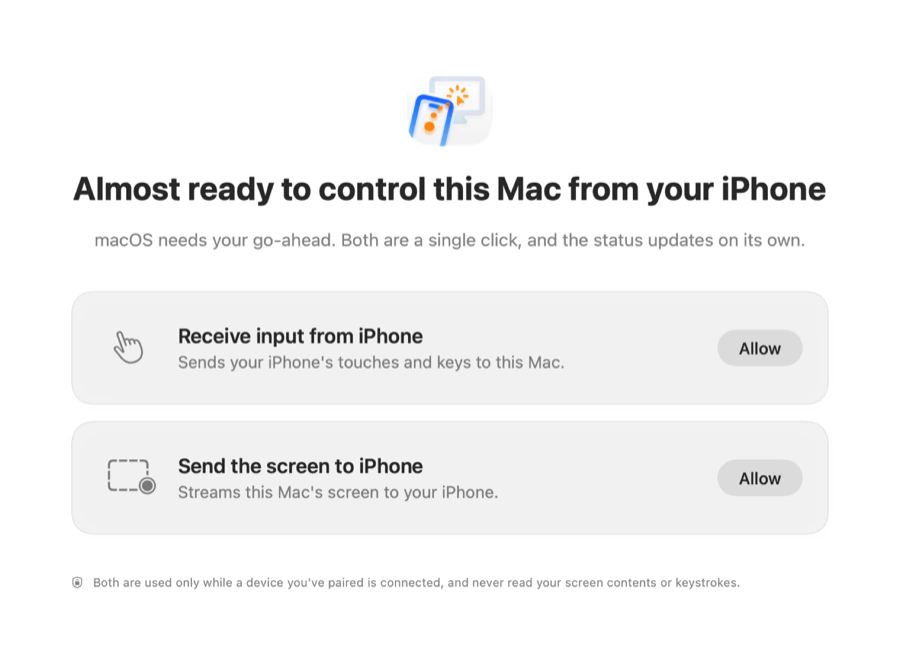
Drag TouchNow Host into Applications and open it. The first launch lands on this screen — macOS needs your go-ahead before this Mac can be seen and controlled. Click Allow on each; System Settings opens with a card tucked under it — drag the app from that card into the list and the status updates on its own.
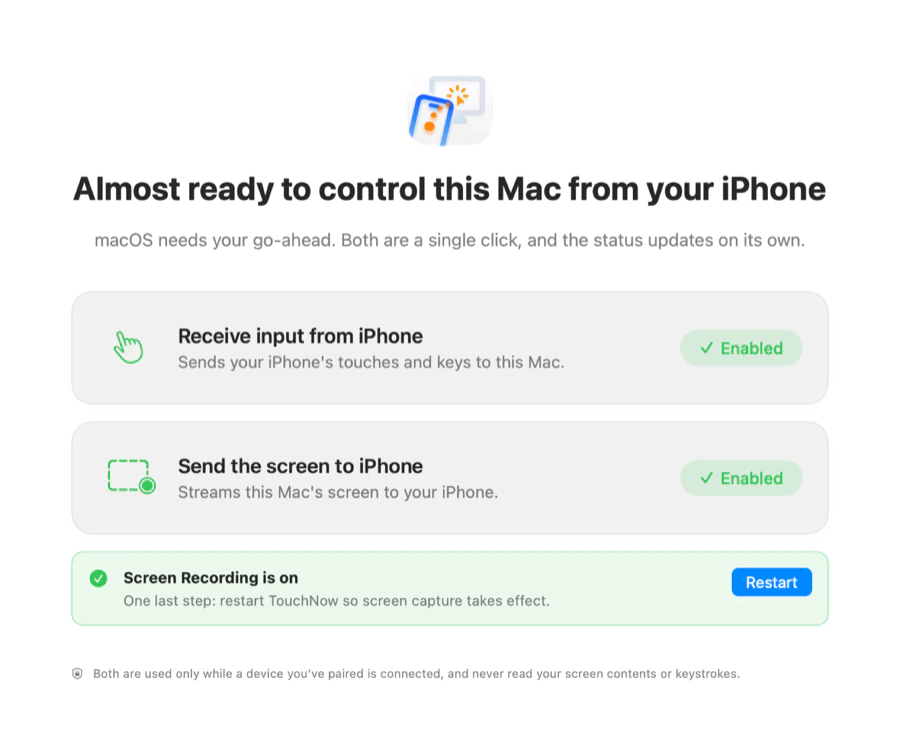
After Screen Recording is granted, macOS needs the app restarted. Click Restart on the green banner — both turn green and you are done.
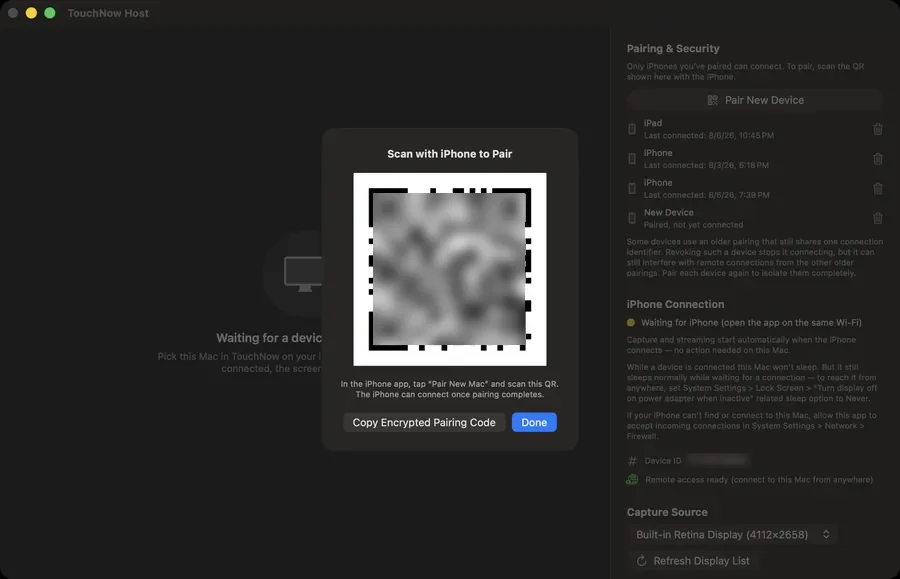
In Host, click Pair New Device and scan the QR with your iPhone. Not near the Mac? Have the other person send you the encrypted pairing code, paste it, and enter the 6-digit PIN.
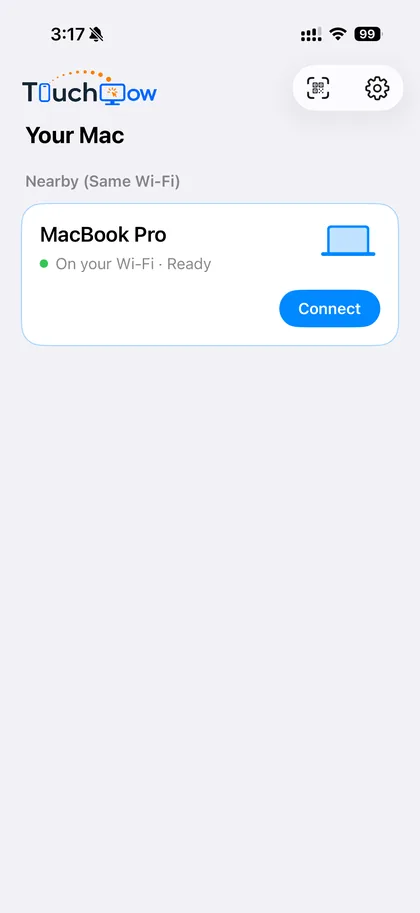
On the same Wi-Fi it appears in your list automatically — one tap to connect, with every local network feature free forever.