Press Kit
Press release, fact sheet, icon, screenshots and demo video — all of it free to reproduce, no permission needed. Questions or a review copy: [email protected].
Press Release
Some Mac games can only be played at the desk. Not because the machine is short of power — an M-series Mac has plenty — but because the game only understands a keyboard, and a keyboard is the one thing you don't have on the couch.
TouchNow closes that gap. It streams your Mac to your iPhone or iPad, and lets you draw the controller yourself: sticks and buttons wherever your thumbs land, each one bound to a key or a key combination, saved as a set per game. The Mac sees an ordinary keyboard, so any game that takes keyboard input works with no changes on the game's side.
It is not only for games. TouchNow has three control modes and you switch between them at any time: Trackpad puts the picture on top and a MacBook-style trackpad underneath; Direct touch makes the screen tap-where-you-look, the way an iPad works; Game controller is the gamepad you designed. A full MacBook keyboard is one tap away — Esc, F1–F12, arrow keys and ⌘⌥⌃⇧ combinations, none of which the iOS system keyboard can send.
The connection is a direct peer-to-peer link between your own devices. On the same Wi-Fi, screen and input never pass through any server — which is why every feature on the local network is free forever, with no trial and no watermark. Streaming runs at up to 1080p60 in HEVC with hardware encoding and decoding at both ends, and network round-trip time on a clean LAN is typically single-digit milliseconds; the app has a performance panel so you can read the measured numbers yourself rather than take ours.
Everything is end-to-end encrypted. Pairing is by QR code or by an encrypted pairing code plus a six-digit PIN, so you can set up a relative's Mac from a distance without ever being in the same room. Any paired device can be revoked, and while a Mac is being controlled it shows a red banner naming the device that is driving it — a banner only the person sitting at the Mac can dismiss, and which never appears in the stream.
TouchNow ships as two apps. The controller for iPhone and iPad is on the App Store. The Mac half — TouchNow Host — is a free download from touchmac.app, Developer ID signed and notarised by Apple, and deliberately not on the Mac App Store: a Mac app that takes over the keyboard and screen of the machine it runs on does not fit the sandbox that store requires. Nothing on the Mac side is ever paid.
The one paid item is Remote Access, for reaching your Mac when you are not on its Wi-Fi — US$2.99 a month or US$19.99 a year. It is the only subscription, and the features that are free today will not move behind it.
TouchNow is available now. The iPhone and iPad app requires iOS 15 or later; TouchNow Host requires macOS 13 or later and runs on both Apple Silicon and Intel. Both are localised in English, Japanese, Traditional Chinese and Simplified Chinese.
Quick Facts
| App name | TouchNow (iPhone, iPad) · TouchNow Host (Mac) |
| Category | Utilities · Remote Desktop |
| Price | Free forever on the local network. Remote Access subscription US$2.99/month or US$19.99/year. TouchNow Host is free, with nothing to buy on the Mac side. |
| Requirements | iOS 15 or later (controller) · macOS 13 or later, Apple Silicon and Intel (Mac being controlled) |
| Distribution | Controller: App Store. Host: direct download from touchmac.app, Developer ID signed and notarised by Apple — not on the Mac App Store. |
| Languages | English, Japanese, Traditional Chinese, Simplified Chinese |
| App Store | apps.apple.com/app/id6790185433 |
| Mac download | dl.touchmac.app/TouchNow-Host.dmg |
| Website | touchmac.app/en/ |
| Press contact | [email protected] |
Free vs. Remote Access
| Feature | Same Wi-Fi (free) | Remote Access |
|---|---|---|
| Streaming up to 1080p60, HEVC | ✓ | ✓ |
| Three control modes (Trackpad / Direct / Game) | ✓ | ✓ |
| Fully customisable virtual gamepad, saved per game | ✓ | ✓ |
| Physical controller and Bluetooth mouse support | ✓ | ✓ |
| Full MacBook keyboard (Esc, F1–F12, ⌘⌥⌃⇧) | ✓ | ✓ |
| Second display · single-app window streaming | ✓ | ✓ |
| Picture in Picture · lock-screen streaming · magnifier | ✓ | ✓ |
| Two-way clipboard sync · audio streaming | ✓ | ✓ |
| Encrypted QR/PIN pairing · revocable · Wake-on-LAN | ✓ | ✓ |
| Connecting when you are not on the Mac's Wi-Fi | — | ✓ |
Assets
1024×1024 PNG.
In the press kit undericon/
iPhone and iPad, English. Also available in Japanese, Traditional Chinese and Simplified Chinese on request.
In the press kit underscreenshots/
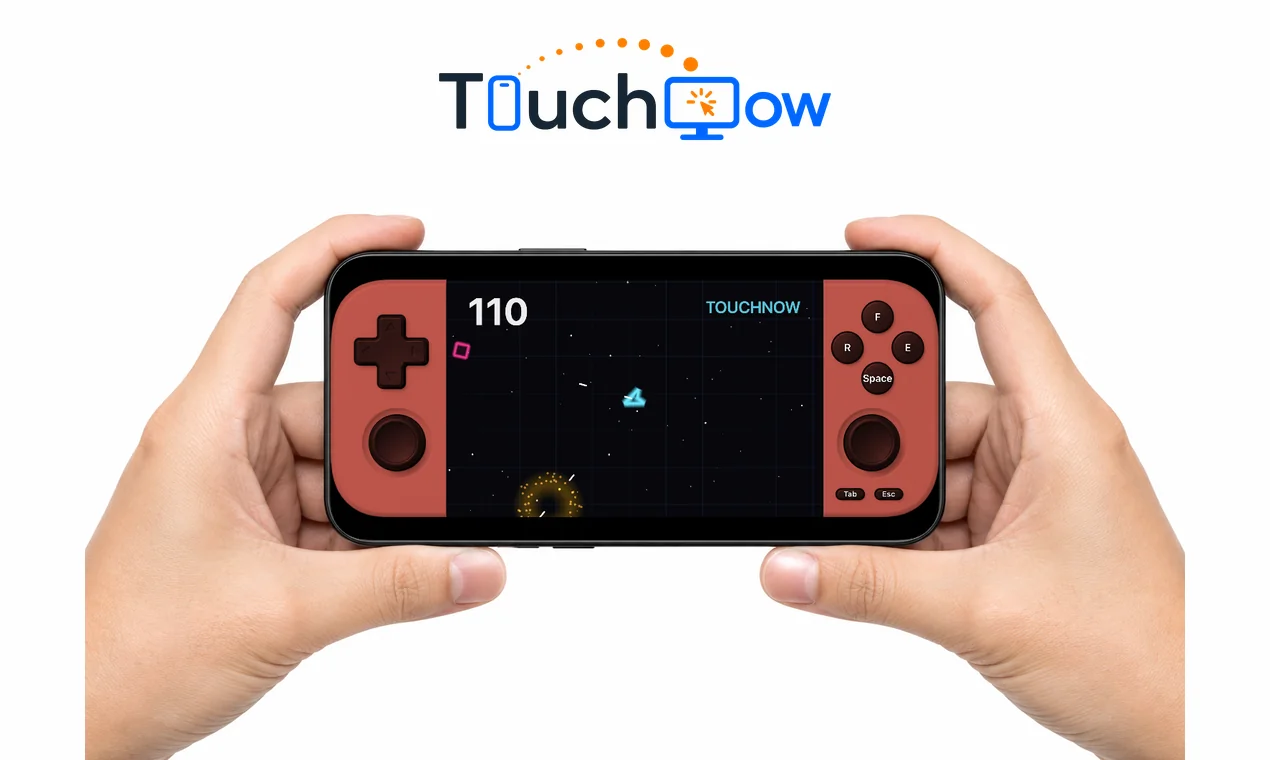
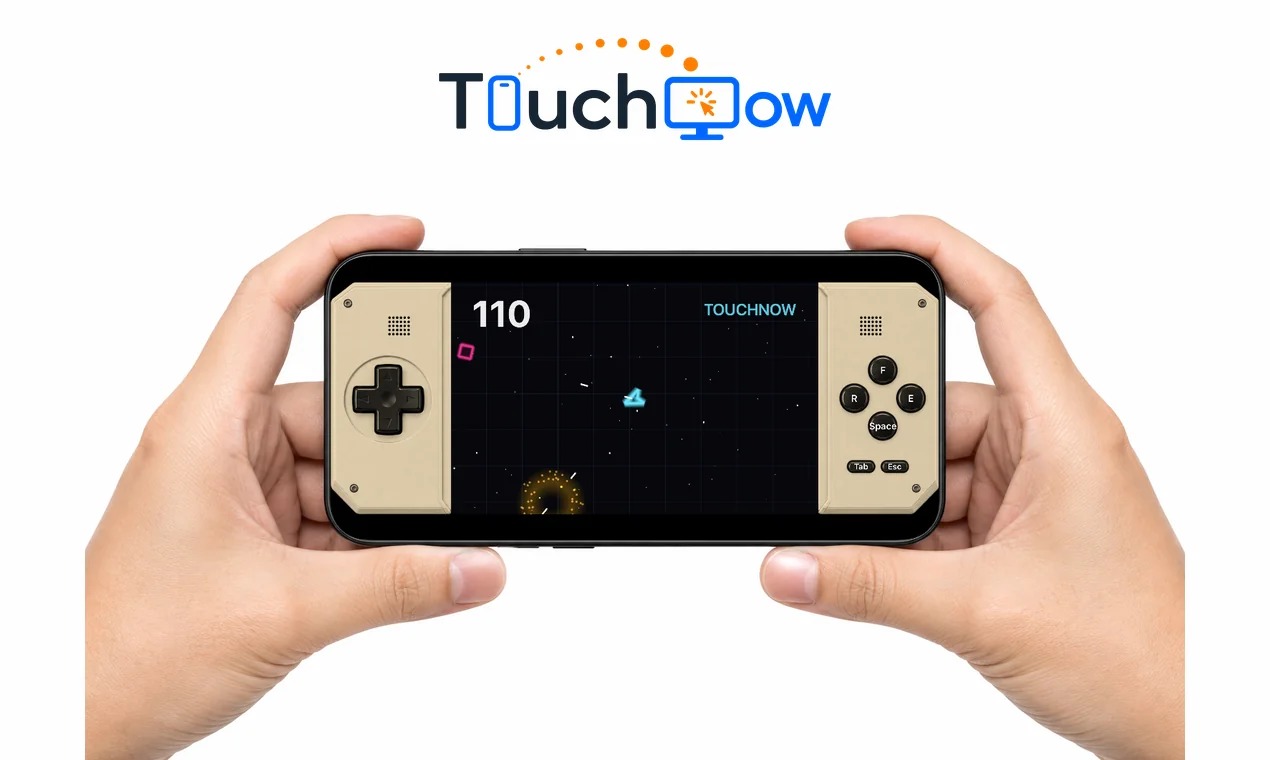
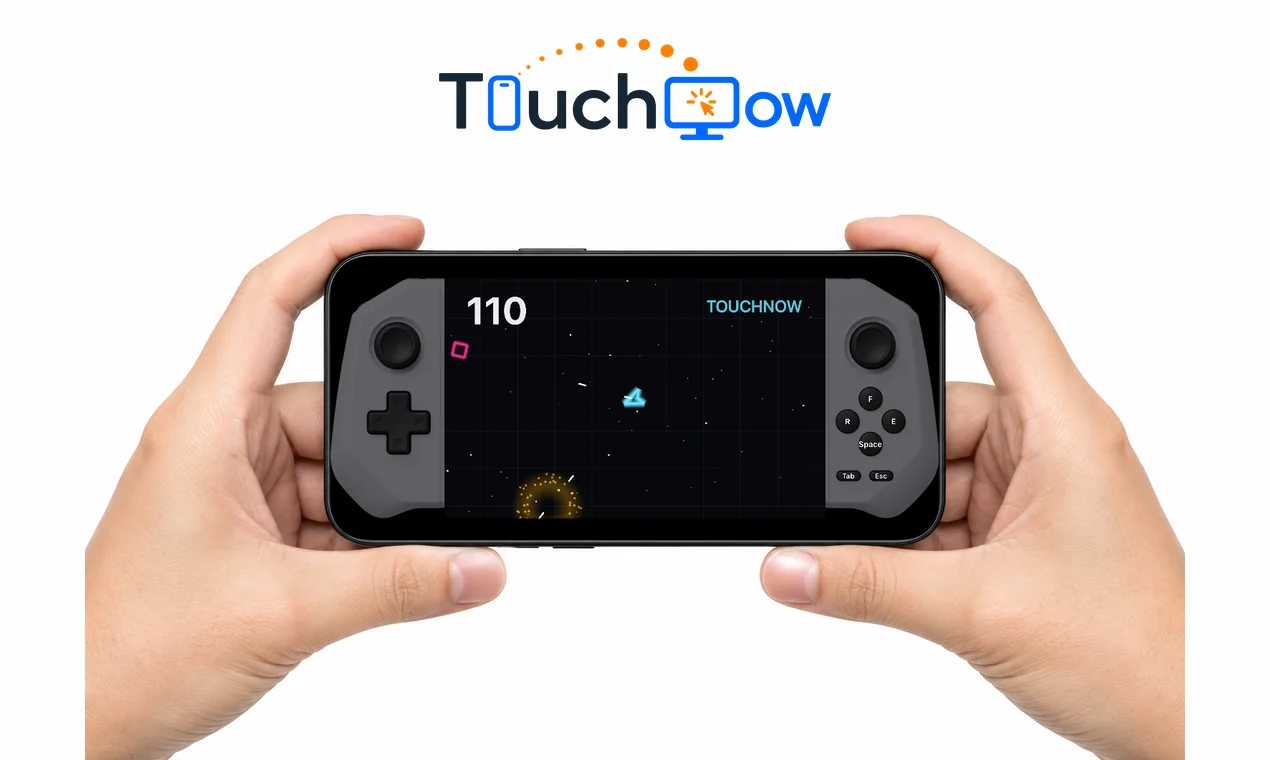
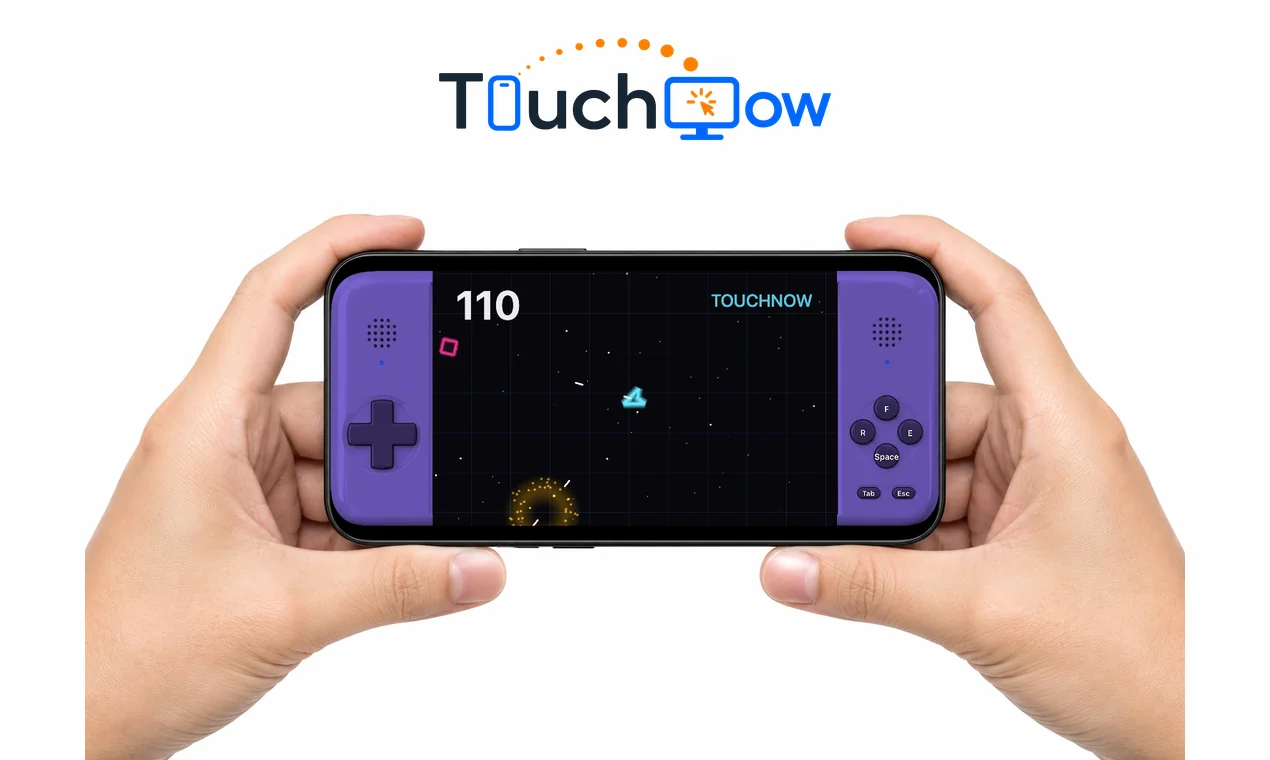
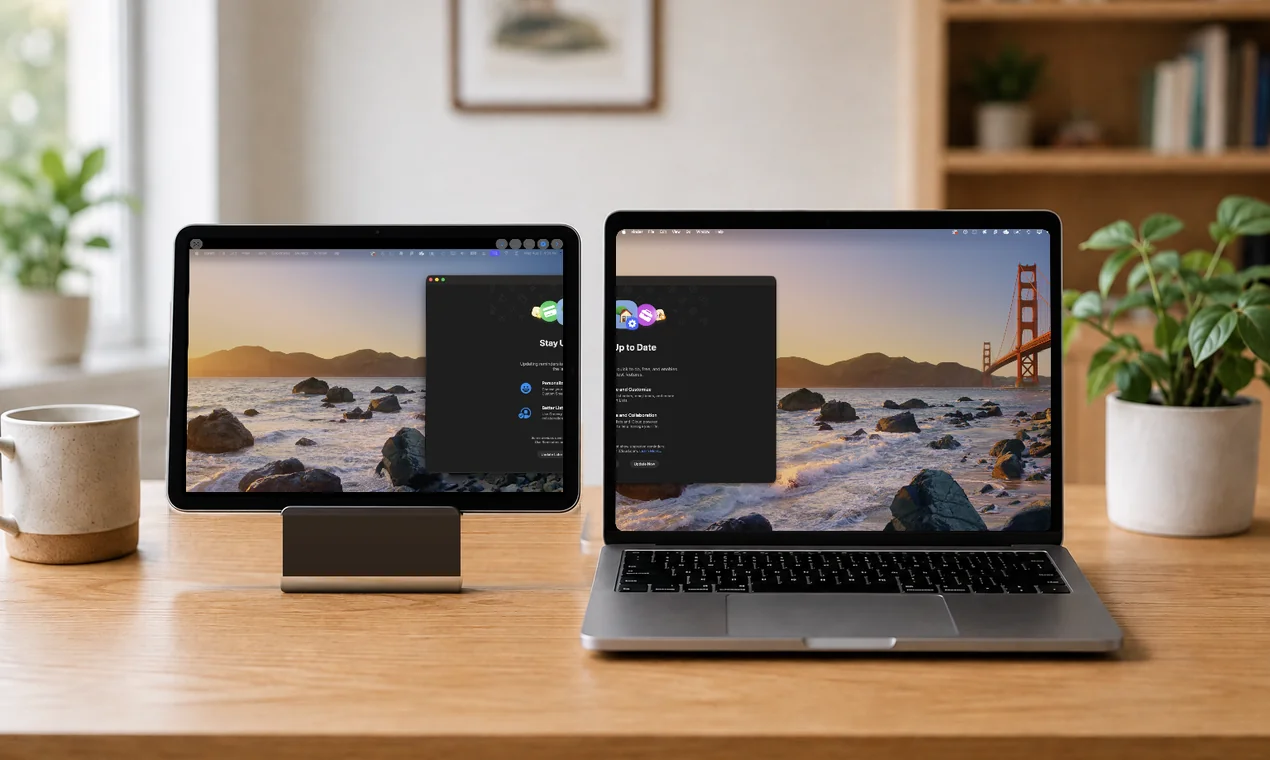
Four gamepad shells in hand and the iPad-as-second-display scene, 1270×760 PNG. Shown below.
In the press kit undervisuals/
Product demo with English captions. Screen recordings of any feature are available on request.
In the press kit undervideo/
Product Visuals
The on-screen controller comes as a retro handheld shell in four shapes and ten colours. Full-resolution PNGs of these five images are in the press kit; right-click to save the web versions.
Contact
Write to [email protected]. Happy to provide App Store promo codes for Remote Access, screen recordings of any specific feature, screenshots in another language, or answers about how the streaming and input pipeline works.