All features free on your local network · End-to-end encrypted

Your Mac,
running at your fingertips.

TouchMac turns your iPhone into a game controller and touchscreen for your Mac — ultra-low-latency streaming and fully customizable virtual buttons, so you can play Mac games and drive your entire Mac from the couch.

iPhone · iPad · Mac — controller macOS 14+ — shared Mac (free) No account — data never leaves home
Pixel Runner FileEditView Wi-Fi100%21:42
Pixel Runner
0 ms
LAN round-trip latency
A
B

Free forever on your local network. End-to-end encrypted. No account. Your screen never leaves home.

Real app, real screens

Real screenshots, not mockups.

Streaming, gamepad, both roles — this is the actual app.

Game mode · live gamepad streaming
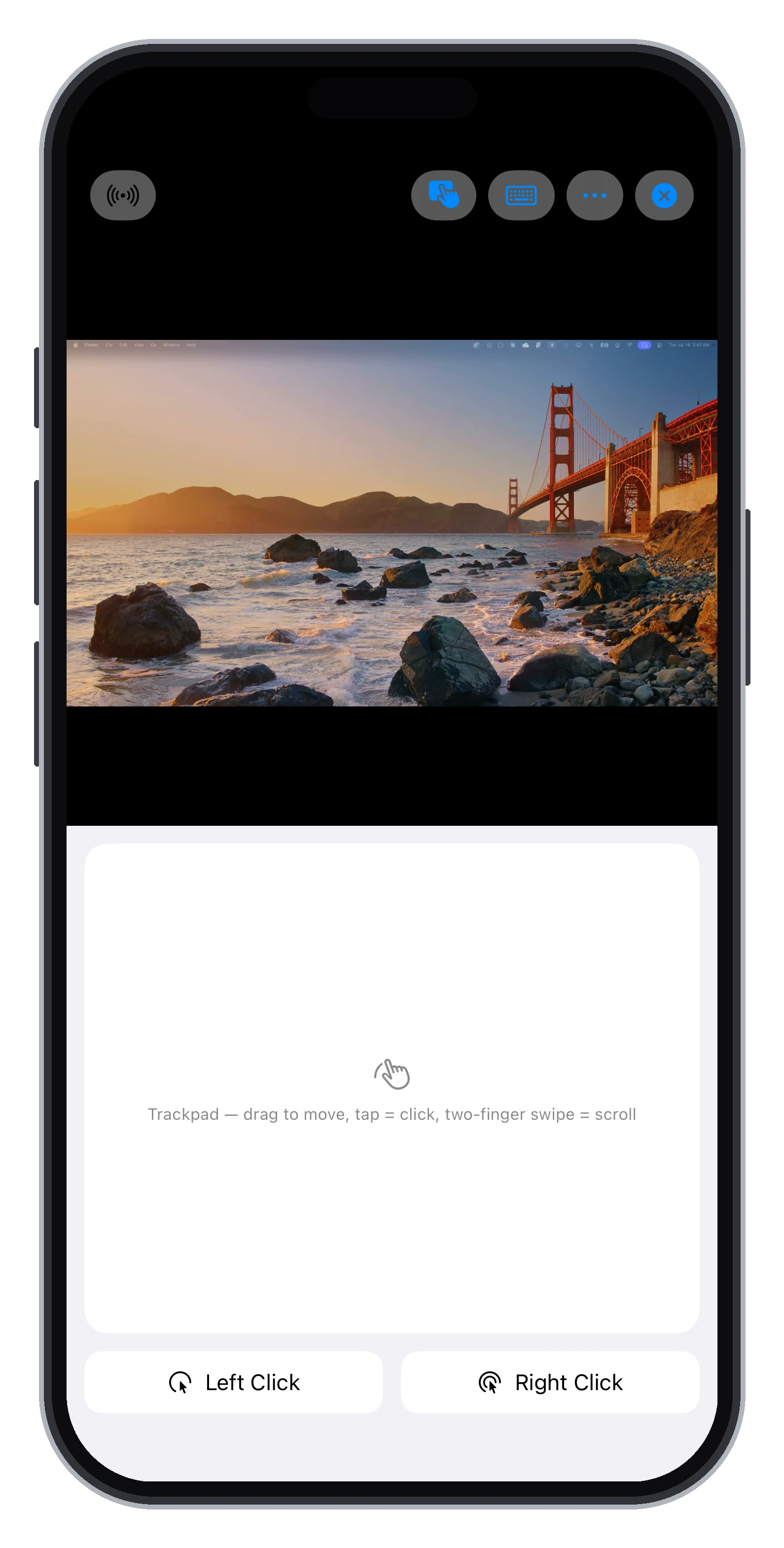
Trackpad mode
Trackpad mode
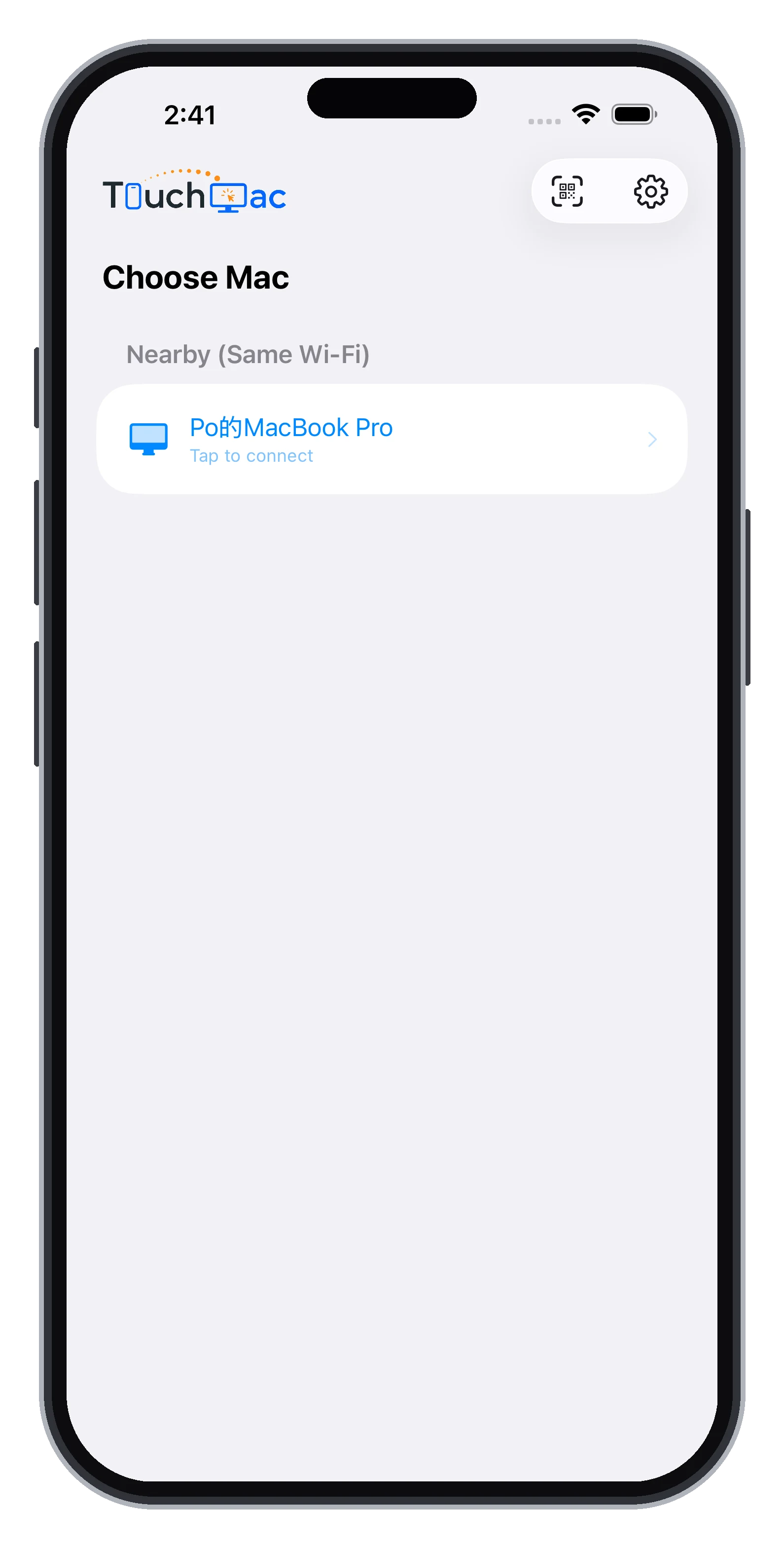
One-tap connect
One-tap connect
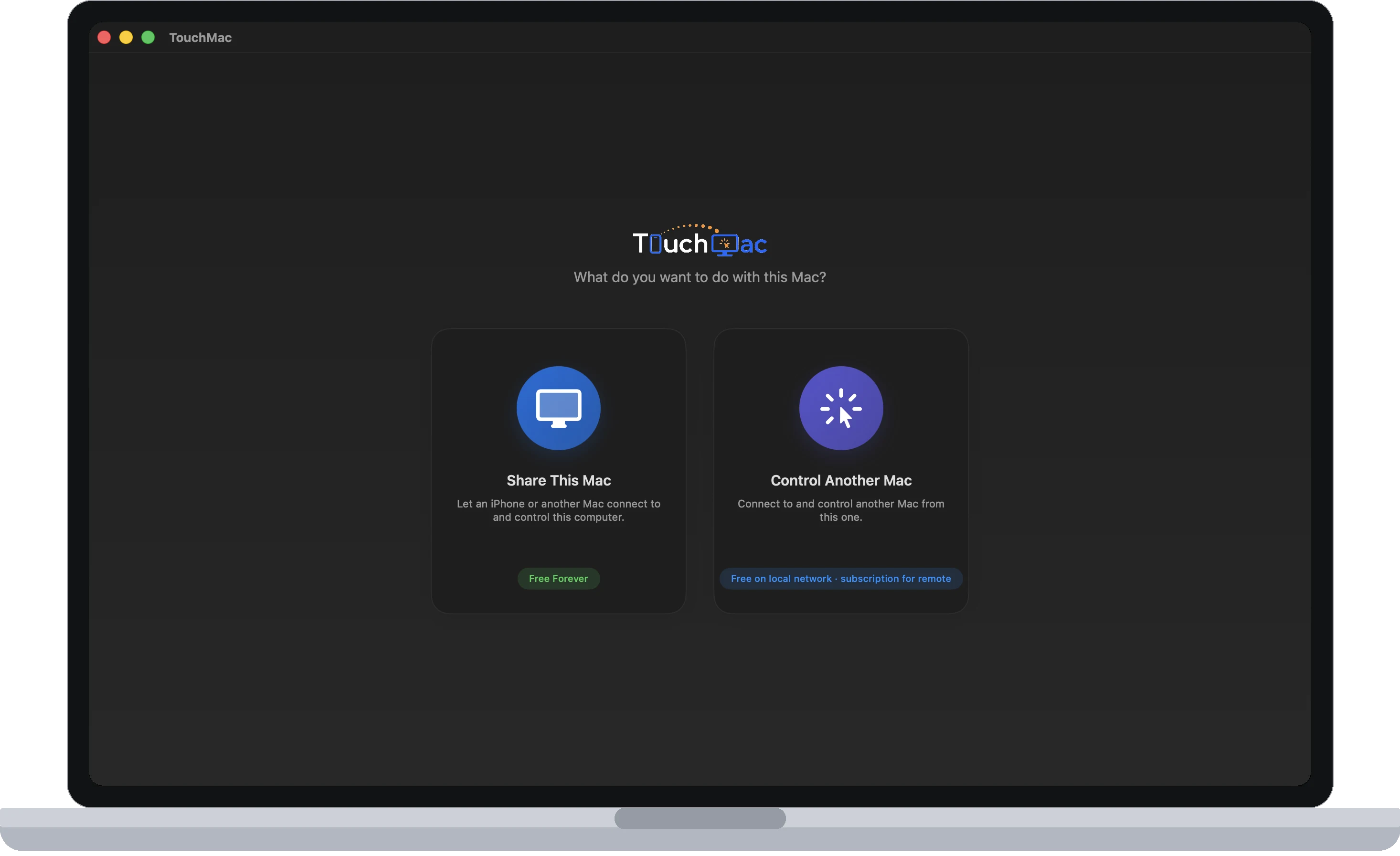
Mac app · two roles
Mac app · two roles

Three modes, one app

Three ways to control your Mac.
Every use you can imagine, covered.

🎮

Game mode

Virtual sticks and buttons map straight to keyboard input. A 50 ms heartbeat keeps keys alive so they never stick — and a physical controller takes over the moment you plug one in.

🖐️

Trackpad mode

Your whole screen becomes a precision trackpad: drag to move, tap to click, two-finger scroll — with a built-in cursor magnifier that shows you every pixel.

👆

Direct touch

Tap exactly where you mean. The stream is your touchscreen, backed by keyboard input and a Mac shortcut-gesture menu — zero learning curve.

🪟

Single-App Streaming

Stream just one Mac window to your iPhone — put Logic's control panel, a monitoring dashboard, or a chat window on your phone while your Mac screen keeps doing something else. Taps automatically raise the target window, for a workflow close to an extended display.

💻

Mac-to-Mac control

One Mac app, two roles: shared (free forever) or controlling. Native mouse and keyboard pass-through with full modifier-key combos — connect from the office back to the Mac at home.

0 ms
LAN round-trip latency (measured)
0 fps
Streaming frame rate (1080p)
0–30ms
Adaptive jitter buffer
0 accounts
No sign-up · No cloud relay

Built for play

The only complete way to turn
an iPhone into a Mac game controller.

Parsec has no iOS app, Sunshine can't inject controller input on the Mac, and Steam Link is locked to Steam — TouchMac is the only option that does controller, screen, keyboard, and mouse in full.

A fully customizable virtual controller

Not a canned four-button gamepad. Your game, your layout.

  • Any number of buttons and sticks — drag to place, slide to resize
  • Bind multi-key combos to any button (e.g. Shift + Z to fire a skill)
  • Dual sticks: WASD movement on the left, arrow-key camera on the right — bind each direction separately
  • Adjustable stick trigger sensitivity — a light push is all it takes
  • Physical MFi / Xbox / PS controllers take over automatically when connected
Q
⇧E
TAB

Latency pushed to the physical limit

Every link in the chain is built for real-time control, not for watching videos.

  • Direct WebRTC peer-to-peer connection with a 0–30 ms adaptive playback buffer: zero waiting on a clean network, automatic absorption when it jitters
  • Input rides a cumulative-delta protocol — even with packet loss, not one millimeter of your movement goes missing
  • Hardware encoding and decoding end to end; game keys kept alive by a 50 ms heartbeat
  • Built-in performance panel: fps / p95 frame interval / RTT / buffer depth shown live — no guessing at the numbers
0ms
60 FPS · P95 21MS · DROP 0

Dropped? It reconnects itself.

The number-one complaint against the big remote tools is "won't connect, freezes dead." We made reconnection good enough to put in the copy.

  • Lost connections retry automatically, with progress and attempt count on screen — it never fails silently
  • Back to the Home Screen? Picture in Picture (PiP) keeps playing without dropping the connection; a Live Activity card stays on your lock screen
  • Wi-Fi jitter, Mac sleep and wake, lock screen, app switching — all eight scenarios exhaustively tested, all passing
  • Mac asleep? Wake it with Wake-on-LAN in one tap, then connect
RECONNECTED · ATTEMPT 2

60 seconds to play

Three steps to start — no account, no router setup.

Install TouchMac on your Mac

Download from the App Store, choose "Share this Mac" (free forever), grant the permissions, and it's on standby.

Scan the QR with your iPhone

Scan the QR code on your Mac's screen to complete encrypted pairing; not near the Mac? Pair remotely with an encrypted pairing code plus PIN. Pair once, valid forever, revocable anytime.

Tap to connect

Your Mac is found automatically on the same Wi-Fi. Lie down. Play.

Why TouchMac

See how it stacks up.

TouchMac Steam Link Moonlight Traditional remote desktop
Full Mac host supportSteam games onlyIncomplete on Mac
Custom controller layouts / key combos✓ Fully customizableFixed layoutNo remapping
Zero-setup pairing (QR / auto-discovery)Steam account requiredPIN + firewallUsually needs an account
Single-app window streaming
Trackpad / direct touch / keyboard✓ All three modesBasic
Auto-reconnect with visible progressDrops when backgroundedUnstableDepends on product
No account · Data never touches the cloudUsually relayed
Mac-to-Mac control✓ Same appFiddly setup

Private by design

Your screen never leaves your own network.

TouchMac needs no account and uploads nothing to the cloud. Connections are built peer-to-peer between your devices, with cryptography guarding every step.

Pairing Encrypted QR / PIN pairing HMAC challenge-response verifies identity; text pairing codes are encrypted with PBKDF2 (210,000 iterations) + AES-GCM and expire automatically after 10 minutes.
Transport Peer-to-peer, end-to-end encrypted A direct WebRTC peer-to-peer link: screen and control data are DTLS-SRTP encrypted the whole way and never relayed through any server; signaling messages carry HMAC signatures and channel binding to block man-in-the-middle attacks.
Access Allowlist-only connections Only devices you have paired can connect; an active session cannot be hijacked, and pairings can be revoked on the Mac at any time.
Visibility Always visible, always interruptible While being controlled, a red banner at the top of the Mac's screen shows who is in control the whole time. Only the person sitting at the computer can press its Disconnect button (remote clicks can't reach it, and it never appears in the stream); every session's time and duration is written to the connection history.
Data No collection, no relay No account system, no analytics tracking, no cloud recording. Across networks, a single signaling server relays only the small connection-setup messages (never touching screen content), with free public STUN assisting NAT traversal — we cannot access your screen, and we never store it.

Fair pricing

Every feature free forever on your local network.
Subscribe only for Remote Access across networks.

Streaming is a direct peer-to-peer link between your devices — screen and control data pass through no server at all. That's why the local network can be free forever. Only when you're out and connecting home across networks does a signaling server step in to make the introduction.

Local network (same Wi-Fi)
$0
Every feature, free forever · not a trial · no watermark
  • Streams up to 1080p60 on the same Wi-Fi
  • Three control modes: Trackpad (with cursor magnifier), Direct touch + keyboard, Game controller
See all
  • Fully customizable virtual controller: any buttons/sticks, drag layout, resize, multi-key combos
  • Single-App Streaming (close to an extended display)
  • Multi-display selection · Quality tuning
  • Picture in Picture (PiP) · Lock-screen streaming · Magnifier
  • Two-way clipboard sync · Audio streaming
  • Encrypted QR/PIN pairing · Revocable · Auto-reconnect
  • Performance panel · Wake-on-LAN for your Mac
  • Cross-network Remote Access (subscription below)
Download free
Remote Access · Monthly
US$2.99/mo
Flexible — cancel anytime
  • Connect back home when you're not on the same Wi-Fi
  • Everything in Free included
See all
  • End-to-end encrypted; your screen never touches a server
  • Cancel in one tap
See details
Two promises written into the product: ① Features that are free today will never move behind a paywall. ② Beyond Remote Access across networks, there will never be a second subscription. Your screen and input are end-to-end encrypted the whole way — we cannot access them and never store them. Canceling takes one tap, with no retention tricks.

Tonight, play your Mac somewhere new.

Download TouchMac — your Mac is in your hands 60 seconds from now.